
How to Play Slime Lab – A Complete Beginner’s Guide to Creating Slimes, Customizing Them, and Running Your Own Laboratory
1. Getting Started in Slime Lab
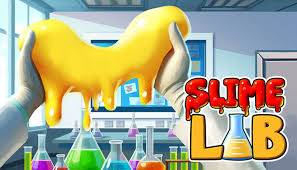
Slime Lab is a virtual reality simulation game where you become a slime scientist and manage your own slime laboratory. You can mix ingredients, stretch and shape slime, experiment with different properties, and create unique designs. The game combines creative sandbox gameplay with customer orders and laboratory management.
When starting out, take some time to explore your laboratory and understand the available tools. Learn how to pick up ingredients, interact with equipment, and handle slime before attempting more complicated creations.
2. Learning How to Make Slime
Creating slime is one of the main activities in Slime Lab. You can combine different ingredients to make slime from scratch and experiment with different formulas.
Start by practicing with simple combinations. Pay attention to how each ingredient affects the final result, then try changing the mixture to discover different textures and behaviors.
Useful tips:
- Begin with basic slime recipes before experimenting with complicated combinations.
- Observe how ingredients interact when mixed together.
- Try different formulas to discover your preferred slime consistency.
- Keep experimenting instead of relying on only one recipe.
3. Customizing Colors and Appearance
Once you have created your slime, you can customize its appearance in many ways. The game offers different colors, charms, glow effects, and adjustable properties, allowing you to create slimes with unique styles.
You can also shape slime into food, create slime pets, or design something completely original. Try combining colors and decorations to make each creation stand out.
Useful tips:
- Experiment with different color combinations.
- Add charms that match your chosen theme.
- Use glow effects to create distinctive designs.
- Adjust the slime's stickiness to experiment with its behavior.
4. Experimenting with Slime Physics
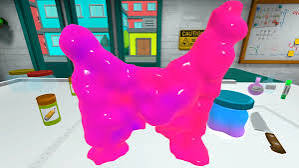
Slime Lab features physics-based interactions that let you stretch, move, reshape, melt, and freeze your creations. These mechanics make experimentation an important part of the experience.
Try pulling slime in different directions, changing its shape, and observing how it reacts. You can also melt or freeze it to explore different forms and create unusual results.
Useful tips:
- Practice stretching and handling slime before making detailed designs.
- Experiment with melting and freezing to discover new shapes.
- Observe how different properties affect slime movement.
- Take your time when working with delicate creations.
5. Completing Customer Orders
Running your laboratory is not only about making random slime creations. Customers will place orders with specific requirements, and you need to create slime that matches their requests as closely as possible.
Pay attention to the requested colors, appearance, and properties before starting an order. Matching these details is important when delivering a finished product.
Useful tips:
- Read the entire customer request before mixing ingredients.
- Check the requested color and slime properties carefully.
- Avoid adding decorations that do not match the order.
- Compare your finished slime with the customer's requirements before submitting it.
6. Managing Your Laboratory
A successful slime scientist needs a well-organized laboratory. You must keep your supplies stocked, order materials, and use available equipment efficiently.
As you progress, managing your resources becomes increasingly important. Make sure you have the ingredients and tools needed for upcoming orders so you can continue creating without unnecessary interruptions.
Useful tips:
- Check your available supplies regularly.
- Order ingredients before they run out.
- Keep your workspace organized.
- Prioritize equipment and supplies that help you complete customer orders.
7. Upgrading Tools and Unlocking Ingredients
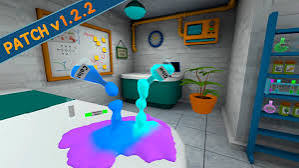
Upgrading your laboratory allows you to expand your creative possibilities. You can improve your tools and unlock additional ingredients, giving you more ways to experiment with slime.
Rather than spending resources without a plan, focus on upgrades that support the types of creations you enjoy making. Better equipment can make your workflow more convenient and help you explore additional combinations.
Useful tips:
- Check which upgrades are available before spending money.
- Unlock ingredients that offer new creative possibilities.
- Improve tools that you use frequently.
- Keep some resources available for future supplies.
8. Creating Animated Slime Pets
Slime Lab also features animated slime creations that can move around your laboratory. You can customize their colors and properties, grow or shrink them, and interact with them using available tools.
These animated creations add another layer to the customization system. Some customer orders may also request animated slimes, so learning how to create and adjust them can be useful.
Useful tips:
- Explore the available animated slime shapes.
- Experiment with their size and appearance.
- Try different properties to change how your slime behaves.
- Pay attention to customer requests involving animated creations.
9. Exploring Sandbox Mode
If you prefer creativity over customer orders, Sandbox Mode provides a more relaxed way to experiment. It offers options such as infinite money, adjustable slime properties, and the ability to save creations for later use.
This mode is useful for testing unusual combinations without worrying as much about resources. You can focus on learning the customization system and developing your own slime designs.
Useful tips:
- Use the slime editor to explore different properties.
- Save interesting creations so you can use them again.
- Experiment with colors, shapes, and decorations.
- Try different settings to create your own laboratory experience.
10. Tips for Becoming a Better Slime Scientist
Improving in Slime Lab comes from understanding how ingredients, properties, and tools work together. You do not need to master every feature immediately. Start with simple creations and gradually explore more advanced customization.
Keep these strategies in mind:
- Practice basic slime-making before attempting complex designs.
- Experiment with different formulas and properties.
- Pay close attention to customer requirements.
- Keep your laboratory supplied and organized.
- Use Sandbox Mode to test creative ideas.
- Save your favorite slime designs for future experiments.

Conclusion
Slime Lab offers a creative VR experience where you can make, customize, and experiment with slimes while managing your own laboratory. From mixing ingredients and completing customer orders to creating animated slime pets and exploring Sandbox Mode, there are plenty of ways to enjoy the game. Take your time, experiment with different combinations, and discover what kind of slime scientist you want to become.